

FreeStyle Libre 3 Getting Started Guide
Everything your patients need to know to get the most out of the FreeStyle Libre 3 system.
Access professional resources and patient education tools, including videos and guides, to get patients off to a great start.
You can always return to this page with patients to keep them on the path to progress, or when you want to improve your expertise at your own pace.
We’re here to help.



FreeStyle Foundations supports your practice with care team resources, designed to help you effectively train patients. From prescribing to follow-up care, the resources you need are here, including this video.
Keep these key downloadable tools on hand to get your patients started. Then share them with patients to reinforce your training.
FreeStyle Libre 3 Getting Started Guide
Everything your patients need to know to get the most out of the FreeStyle Libre 3 system.

FreeStyle Libre 2 Getting Started Guide
All the info patients need to know when starting the FreeStyle Libre 2 system.

Support Programs for Every Step of the Journey
Access tools and resources designed to support your practice and patients throughout their diabetes care journey.
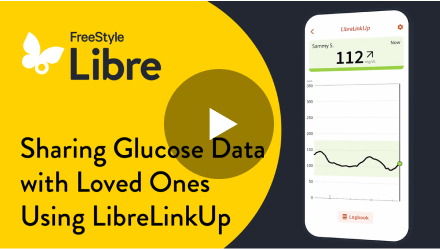
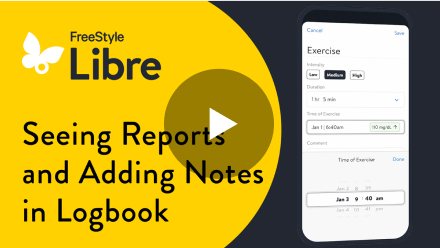
Help your patients master the basics. These videos make it easy to get started. Then walk them through features like customized alarms* and data sharing†—tools that make glucose management even more personal.

Smartphone Compatibility Guide
Confirm which smartphones‡ are compatible with the FreeStyle Libre 3 system.
Sensor Compatibility Guide
See the app‡ that’s compatible with the FreeStyle Libre 3 system sensors.
LibreView§ Quick Start Guide
Easy-to-follow instructions for patients to share† their glucose data directly with healthcare providers.
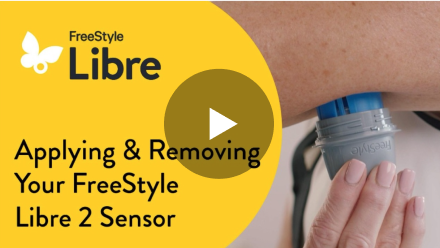
Put your patients on the right path with how-tos that take them through everything they need to know. Applying their sensor, getting glucose readings, customizing alarms*, you name it.
Access these quick, downloadable tools now—or save them for later.
Smartphone Compatibility Guide
Confirm which smartphones‡ are compatible with the FreeStyle Libre 2 system.
Sensor Compatibility Guide
See the app‡ that’s compatible with the FreeStyle Libre 2 system sensors.
LibreView§ Quick Start Guide
Easy-to-follow instructions for patients to share† their glucose data directly with healthcare providers.
Empower your patients to use their sensor and manage their diabetes with confidence1. MyFreeStyle is free, and provides patients with ongoing support and guidance, including tips and tutorials.

Abbott and WeightWatchers (WW) connected experience¶
FreeStyle Libre systems data‡#** can now be shared within the WW app¶ to provide you and your patients insights to inform healthy choices.
Patients can:
 Learn how food and activity impact glucose levels
Get enhanced patient support
FreeStyle Hospital Discharge Program
This complimentary program provides hospitals with sensor starter kits to help patients manage their diabetes following discharge.
Each patient’s starter kit includes:
One FreeStyle Libre 3 Plus or FreeStyle Libre 2 Plus sensor
Getting Started Guide
Follow-up Rx for sensor
This quick survey will help us strengthen this training. We appreciate your feedback!
Medicare and other payor criteria may apply.
* Alarm notifications will only be received when alarms settings are enabled and turned on and sensor is within 20 feet (FreeStyle Libre 2 system) or 33 feet (FreeStyle Libre 3 system) unobstructed of the reading device.
† The user’s device must have internet connectivity for glucose data to automatically upload to LibreView and to transfer to connected LibreLinkUp app users.
‡ The FreeStyle Libre systems apps are only compatible with certain mobile devices and operating systems. Please check the Support section of our website for more information about device compatibility before using the apps. Use of the FreeStyle Libre systems apps may require registration with LibreView.
§ The LibreView data management software is intended for use by both patients and healthcare professionals to assist people with diabetes and their healthcare professionals in the review, analysis, and evaluation of historical glucose meter data to support effective diabetes management. The LibreView software is not intended to provide treatment decisions or to be used as a substitute for professional healthcare advice.
II Check www.librelinkup.com for information about mobile device and operating system compatibility. LibreLinkUp is not intended to be used for dosing decisions or to replace self-monitoring practices as advised by a physician, and requires registration with LibreView.
¶ The WW and FreeStyle Libre 3, FreeStyle Libre 2, FreeStyle Libre 14 day connected experience is compatible with certain mobile operating systems. Please check the Apple App Store or Google Play Store for more information about WW app operating system requirements.
# The app can capture data from the sensor when it is within close proximity of the sensor. The proximity and orientation of the antenna in phones varies and the phone will have to be moved around to find the best position for scanning the sensor.
** The user's device must have internet connectivity for glucose data to be shared with the WW app.
Reference: 1. Data on file. Abbott Diabetes Care, Inc.
ADC-2665767 v4.0
Important Safety Information
Failure to use FreeStyle Libre systems as instructed in labeling may result in missing a severe low or high glucose event and/or making a treatment decision, resulting in injury. If glucose reading and alarms (if enabled) do not match symptoms or expectations, use a fingerstick value from a blood glucose meter for treatment decisions. Get medical attention when appropriate. Abbott Customer Service at 855-632-8658 or visit FreeStyleLibre.us for safety info.
The product images are for illustrative purposes only.
No use of any Abbott trademark, trade name, or trade dress in this site may be made without prior written authorization of Abbott Laboratories, except to identify the product or services of the company.
This website and the information contained herein is intended for use by residents of the United States.
ADC-2688941 v26.0
The "Yes" link below will take you out of the Abbott Laboratories family of websites. Links which take you out of Abbott Laboratories worldwide web sites are not under the control of Abbott Laboratories, and Abbott Laboratories is not responsible for the contents of any such site or any further links from such site. Abbott Laboratories is providing these links to you only as a convenience, and the inclusion of any link does not imply endorsement of the linked site by Abbott Laboratories.
Do you wish to leave this site?